An event is an entry in a calendar. On the reaatest.ch website, each event can be viewed in a calendar and in a report (a list view).
Permissions: Only ‘Office’ roles can create or edit an event. The ‘Office’ role is assigned to the Chef of the Atelier, Secretary, and Treasurer.
Menu: Admin > Document and Event Management
Create an event
Edit an event
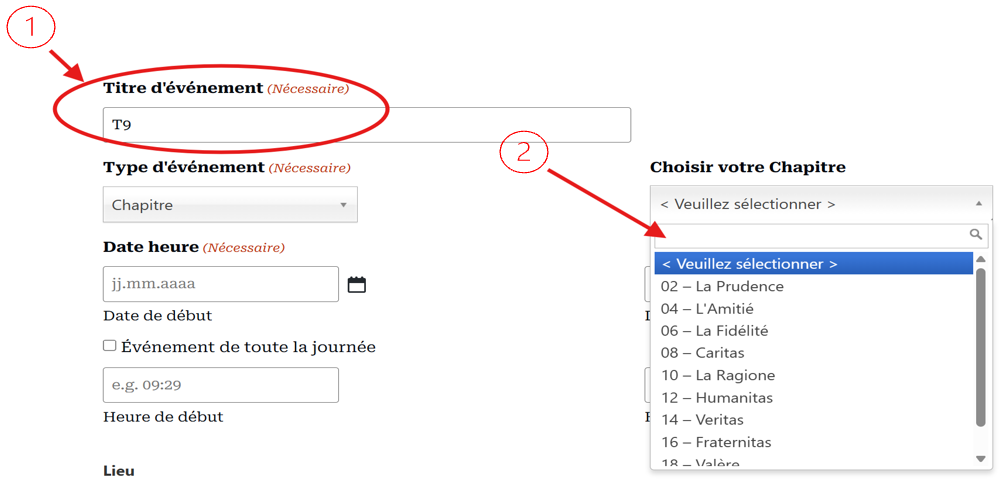
1 We would like a naming convention for the event title.
T9 for Work at the 9th grade
–
Etc.
This short version of the title allows for immediate readability and comprehension on the calendar. In the General Calendar, we display the concatenation [Organiser – Title].
The Event Type associates the group’s colour code. For Chapter, Areopagus, and Consistory groups, please select your Atelier.
2 Please select your Atelier. This is important so that this event is visible both in the calendar and in your Atelier’s programme. This field also serves as a filter.
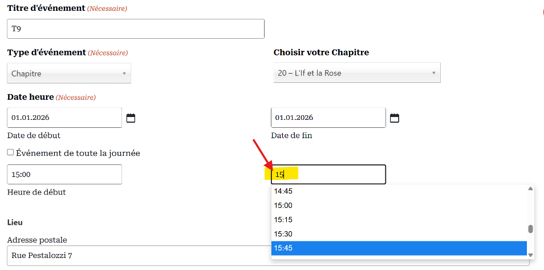
Selecting your Atelier automatically fills in the event location.
Enter the date and times.
These actions are the minimum required to create an event.
Save or Delete
It is important to save your work. Once saved, it will be visible in your calendar. Feel free to check your work!
The buttons are located at the bottom of the form.
Recommendation: If you are not satisfied and decide to give up the event, please delete it. This is the only way to avoid ‘cluttering’ the AASR calendar.
How to beautify your event?
The site offers the following features:
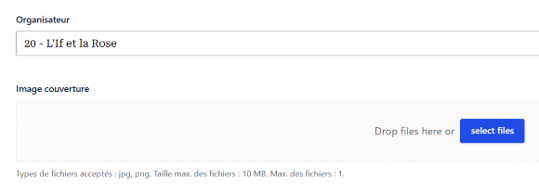
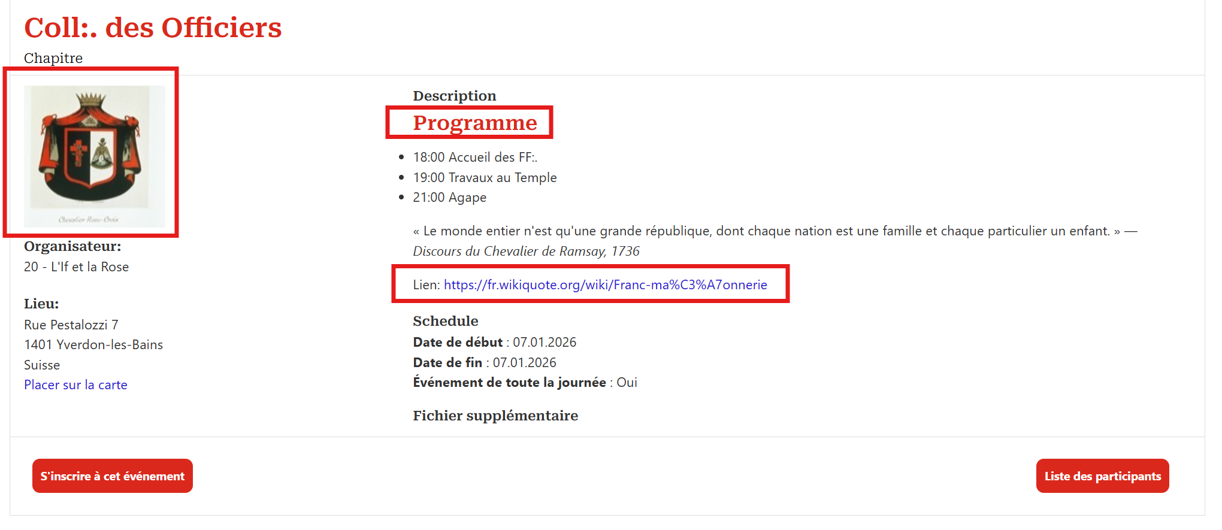
Add your cover image; this is the image that will be displayed in your invitation.
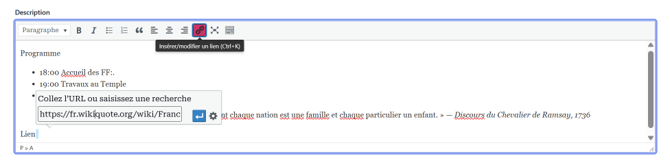
Describe your event using rich formatting and URL links
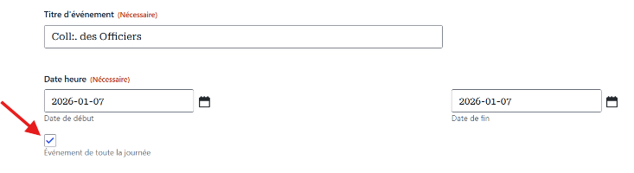
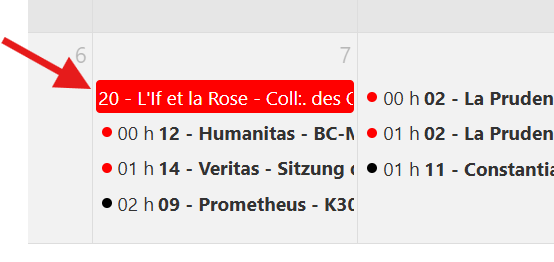
Choose an full day. The display on the calendar will be different.
Change your cover image
Only in the event modification form, click on ‘Select file’ or drop your image, and make your adjustment.
Advanced description of your event
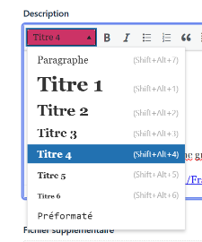
You can use the formatting functions to make your description more attractive.
Use Title 4 to make your title red, as on the website.
Feel free to add a URL link.
The result is as follows:
All day event
By selecting ‘all day’, the display of the event in the calendar changes.
Nous utilisons des cookies pour vous garantir la meilleure expérience sur notre site web.