

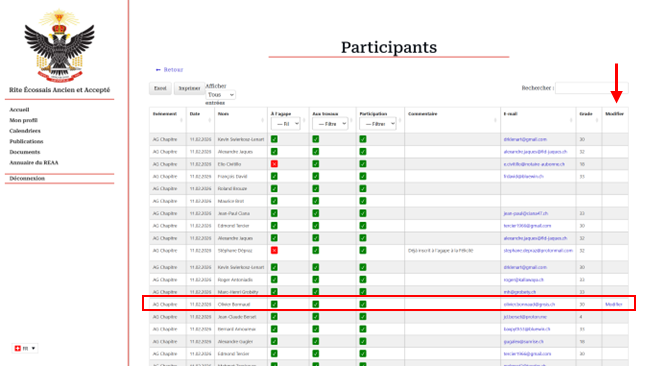
If your screen resolution allows it, you can see all the columns in the table. The last column is “Modify”.
In front of your name, you’ll find this link to modify your registration.
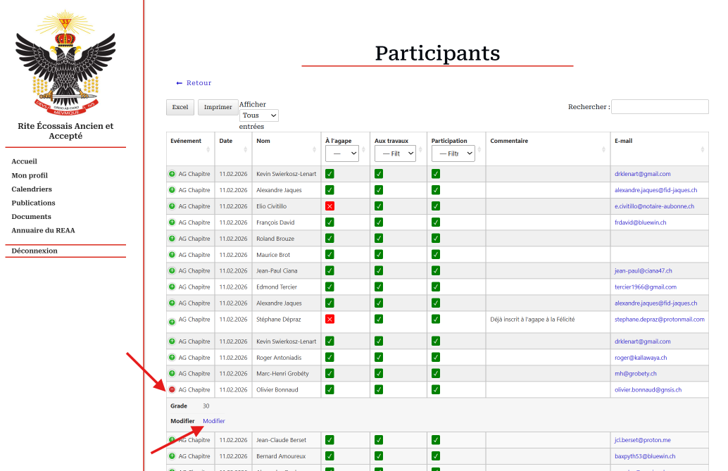
If your screen resolution is not sufficient, click on the green dot next to your name to display the hidden columns. There you’ll find the link to modify your registration.
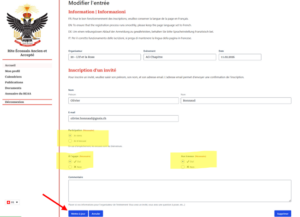
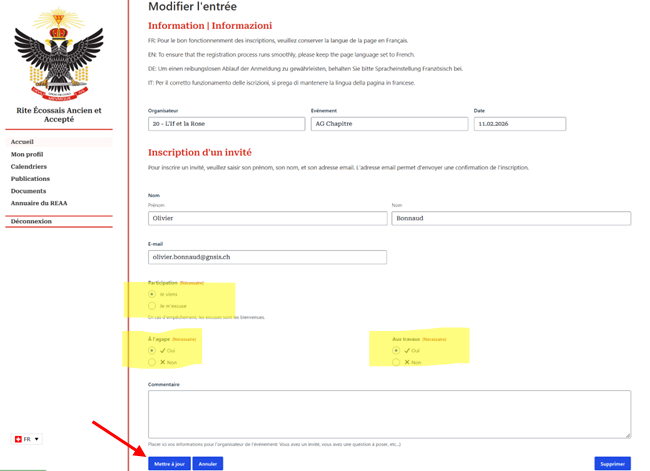
Now you can make your changes and save.
We’ve done it!
From “My Profile
- Go to My Profile”.
- Click on the “My Inscriptions” button.
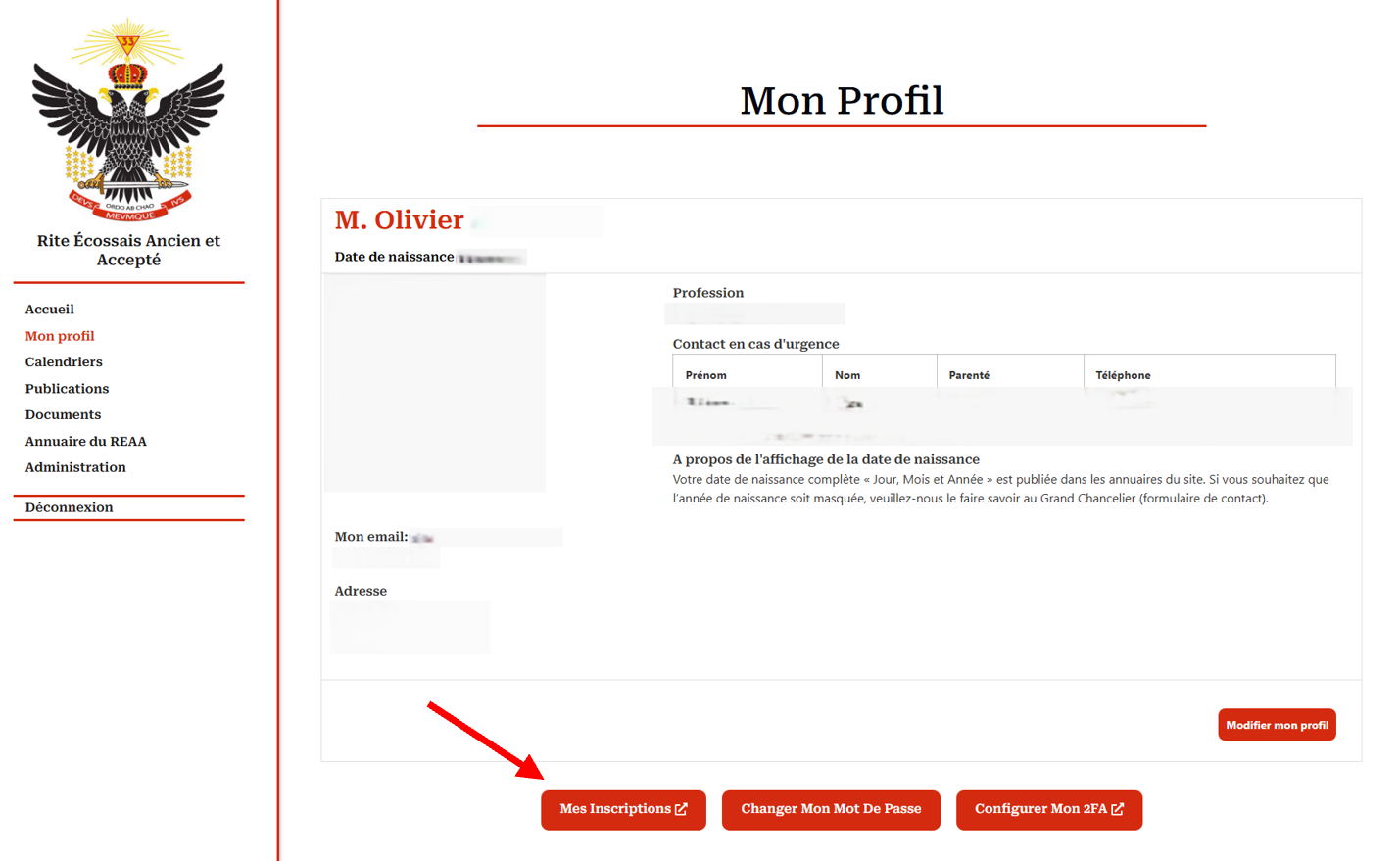
This button displays the history of your entries, and in the last column, you can modify them.
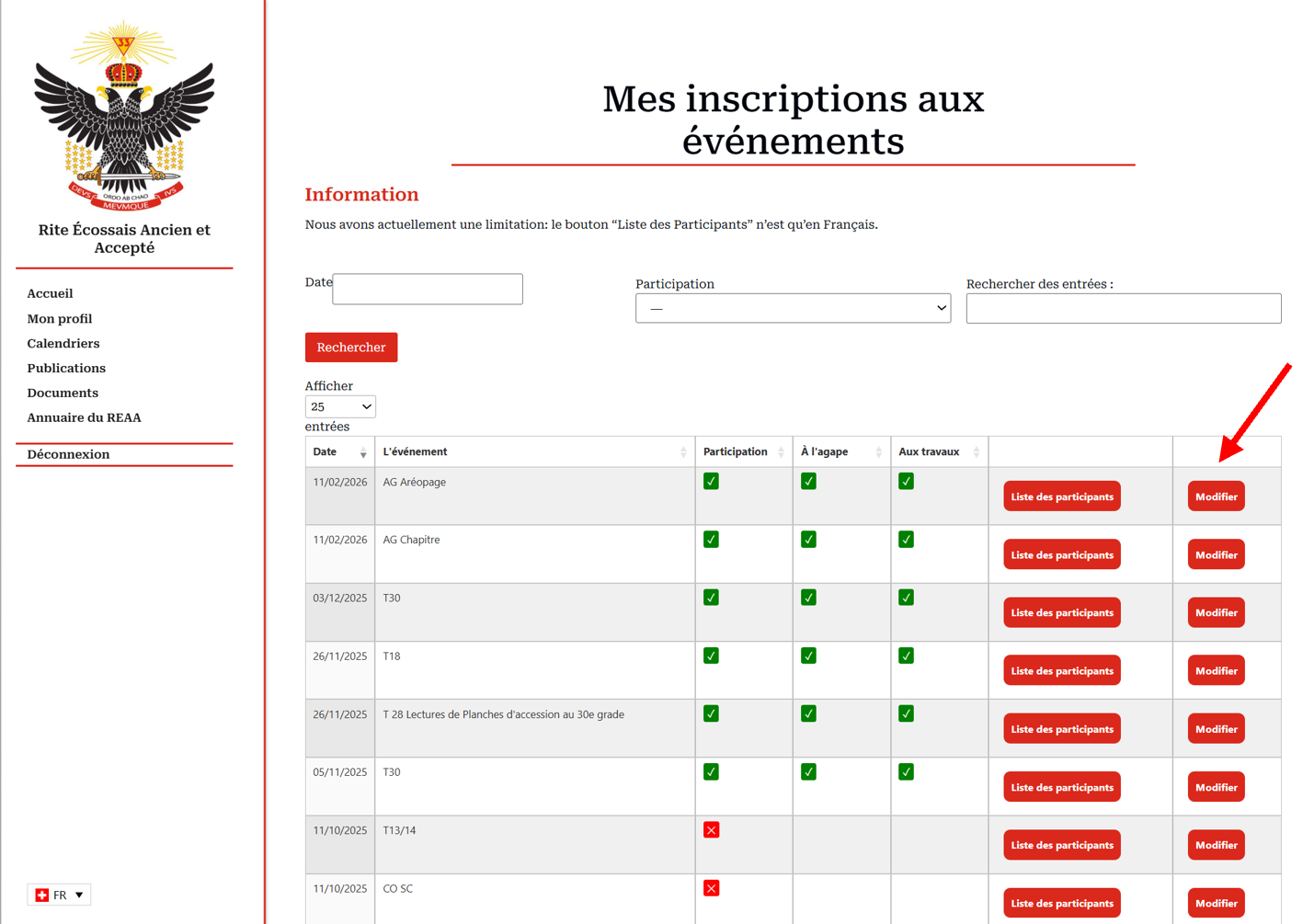
Select the entry you wish to modify, then save.