


The AASR website allows you to subscribe to calendars:
- Timetable for the work of all Chapters, as well as all Swiss Areopagi.
- Your Atelier program.
The subscription allows you to synchronize the site’s calendar with your computer’s or smartphone’s calendar application (e.g. Google Calendar, Microsoft Outlook, Apple Calendar to name but three).
Synchronization is unidirectional, meaning that the site is the master of the calendar, and all changes on the site will be pushed to your local app or smartphone.
How to do it?
- Menu: Calendars > To other calendars
- Choose what seems closest to what you want.
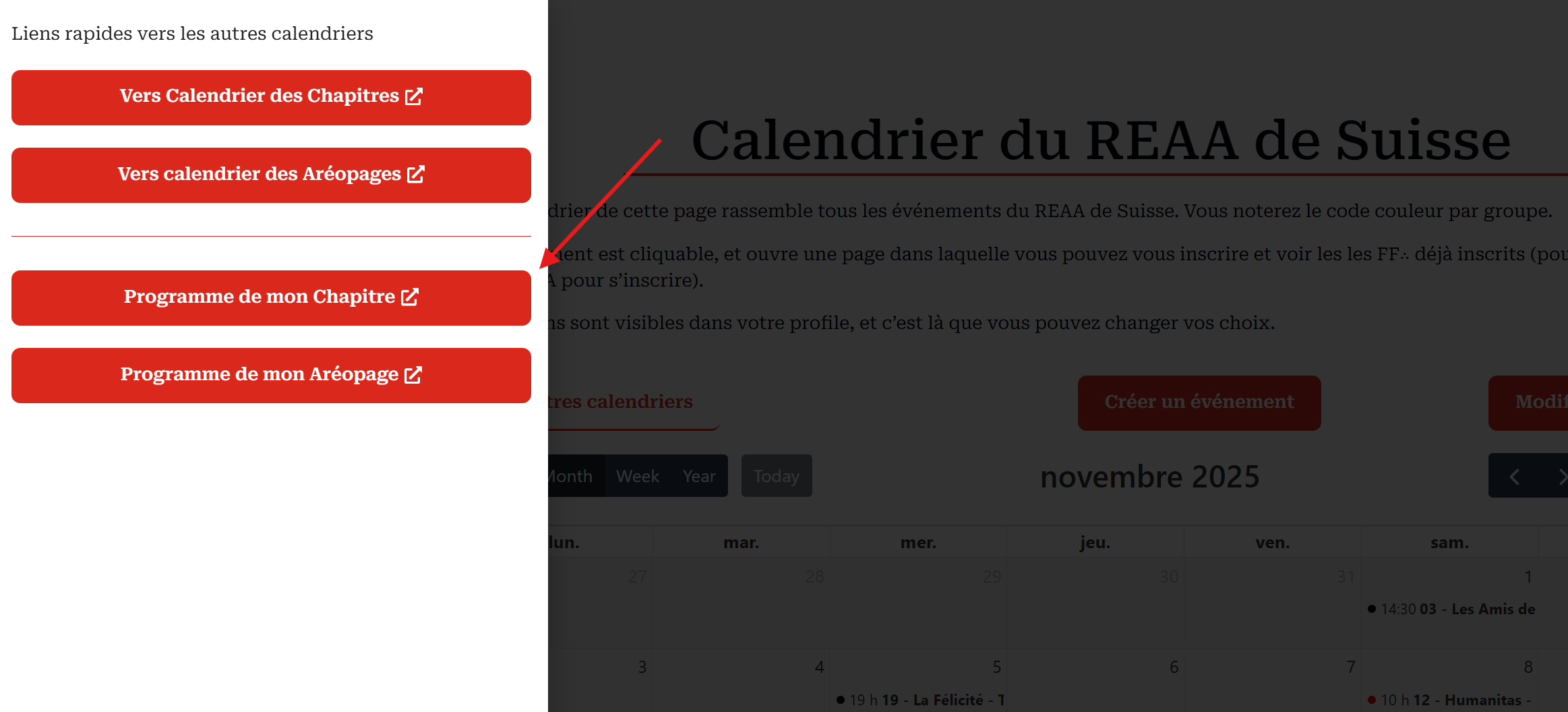
- Choose what seems closest to what you want.
- My Chapter program
- The [Subscribe] button is at the bottom of the program.
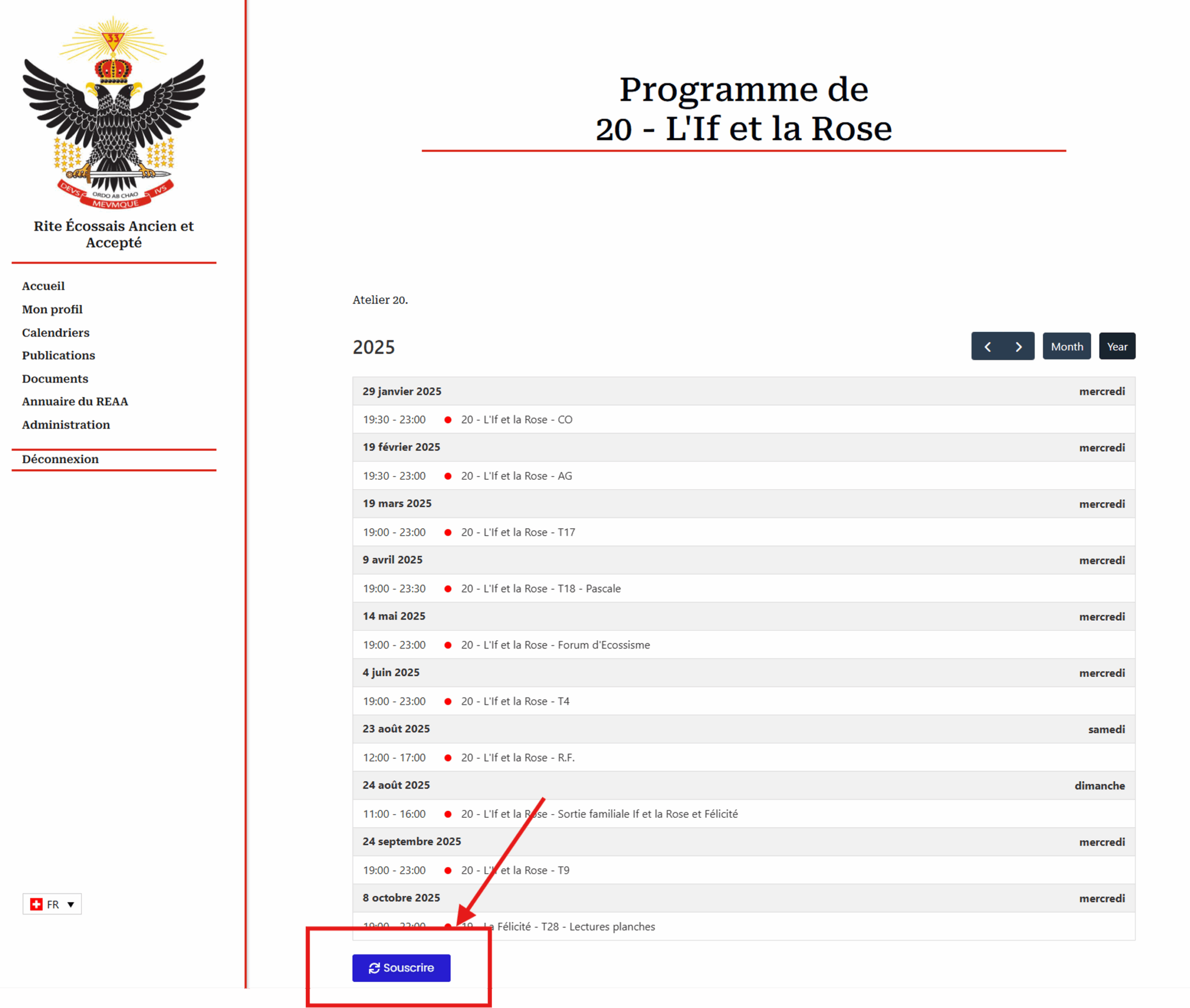
- The [Subscribe] button is at the bottom of the program.
- By clicking on this button, the system generates an .ics file, which you’ll find in your “Download” directory.
- Search for this file and double-click on it
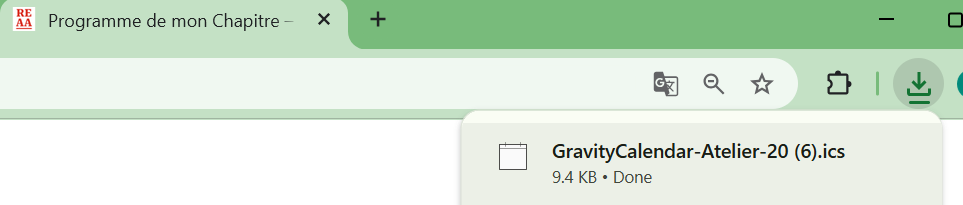
- Search for this file and double-click on it
- Your calendar application asks you to confirm the import.
- The image below is that of Microsoft Outlook, which offers to import the calendar in the form of a new calendar.
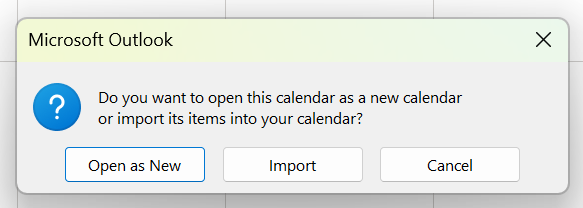
- This is the chosen option.
- The image below is that of Microsoft Outlook, which offers to import the calendar in the form of a new calendar.
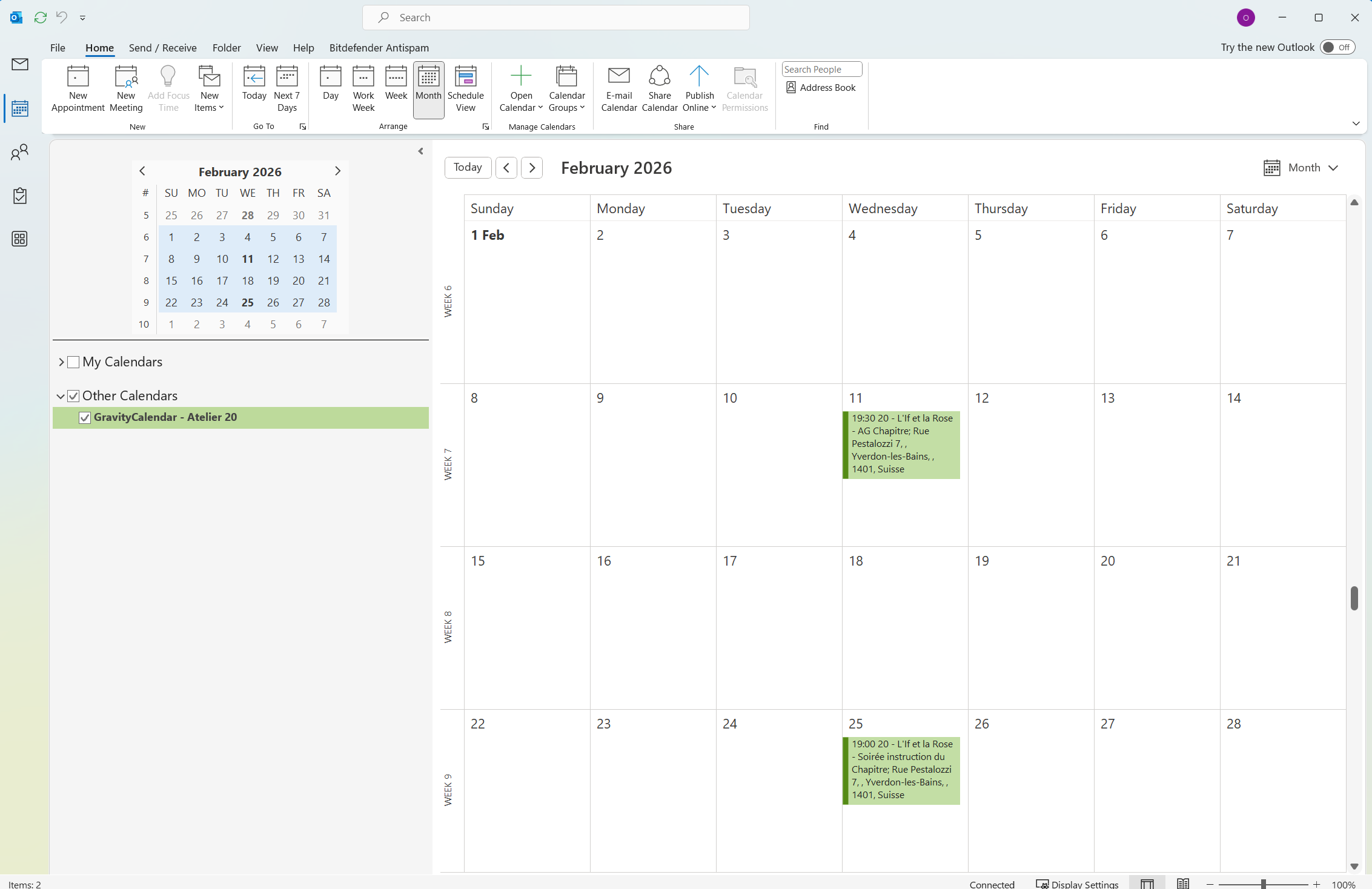
- Result: a new calendar (the one in Chapter 20) in your computer’s calendar application.
Limitation: From your calendar application, when you open the event, you can connect directly to it to register. But the site will ask you to log in first.